

SID is a unique identifier assigned to each scheduling link. You will need this ID when using the API, setting up webhooks, or integrating with external tools.
Unlike the link name, SID never changes, even if you rename your scheduling link.
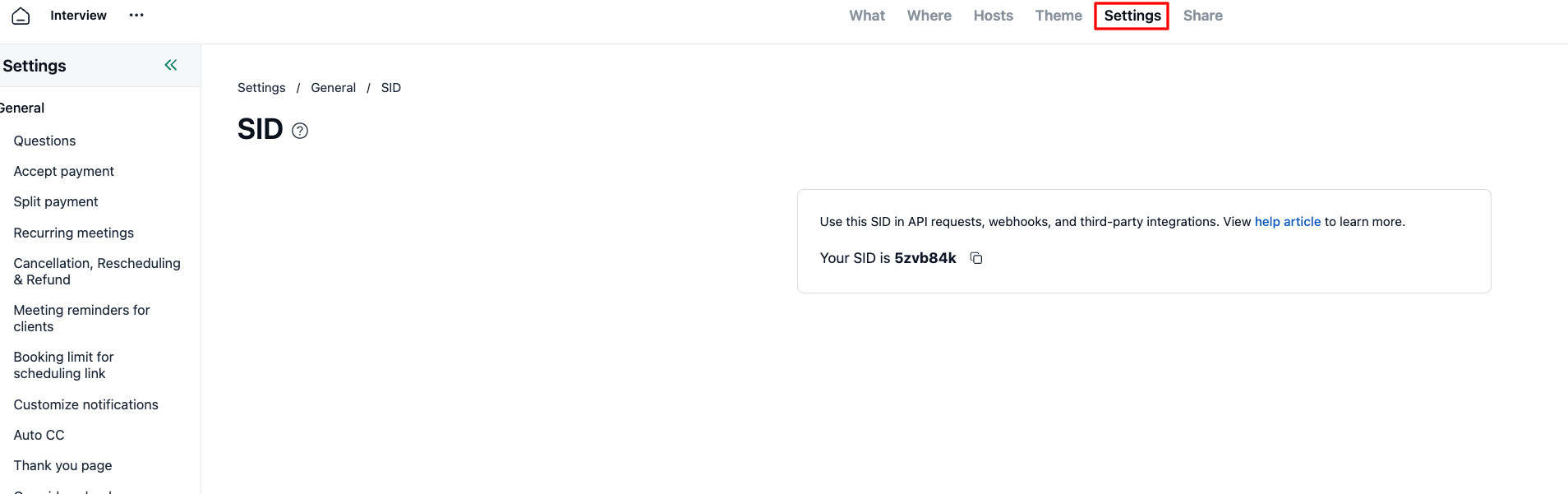
Finding the SID
Visit your scheduling link.
Open the Settings tab.
Click SID under General card.
Click Copy SID to copy the value to your clipboard.
Using the SID
When making API requests or setting webhook payloads, use the SID as the primary identifier for your scheduling link. This ensures your integrations remain stable even if you update the link's public title or URL.