

When your client schedules a meeting with you, it can be seen on the bookings page. You can also see upcoming, past, canceled, and incomplete meetings.
When you click on a booking from the list, it will take you to the meeting details pane. From here, you can cancel/reschedule a meeting.
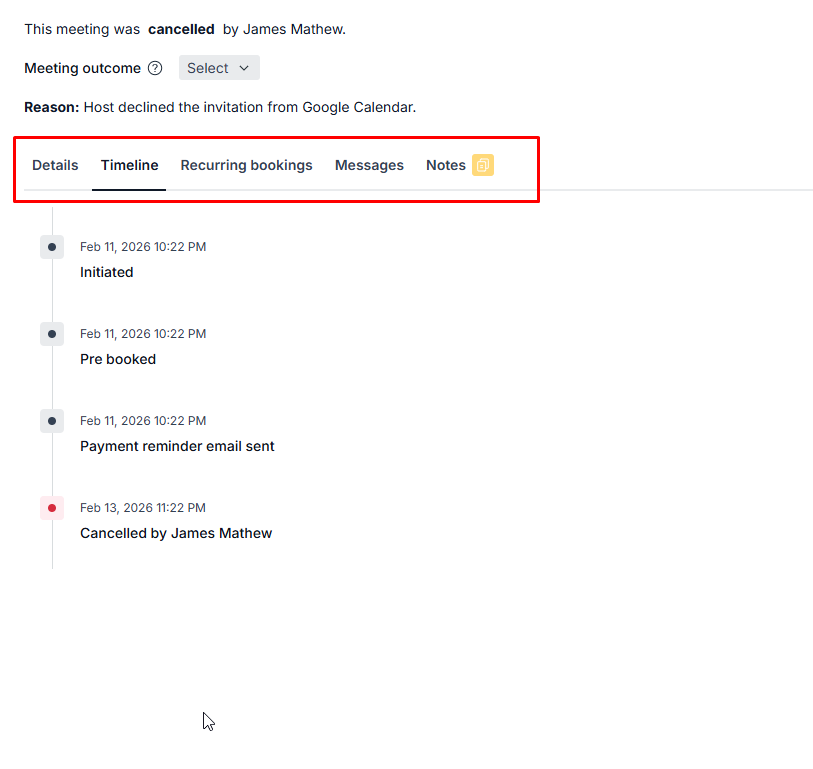
Tabs on the booking page
Details: This tab displays comprehensive information about the meeting, including the date, time, and location where the meeting will take place, and the Booked on date, which shows when the client made the booking.
Timeline: Shows the history of the booking, such as when it was booked, rescheduled or cancelled, and any payment or refund updates. Each reschedule shows the old and new meeting times. This tab appears once the booking has more than one entry in its history.
Recurring bookings: When clients make multiple bookings together (pre-bookings), they are all linked together. These will be shown here.
Messages: Use this tab to communicate directly with your clients, allowing for seamless interaction and coordination regarding the meeting. Learn more about messages.
Notes: Add internal notes about the meeting. See Internal notes below.
Internal notes
You have the option to take notes during the meeting. The notes will be visible only to the hosts and the admins. These notes also appear in the contact's timeline view in the Contacts section.