
By default, all emails related to scheduling links in a workspace are sent from [email protected]. These emails are delivered to both you (the host) and your clients.
If you don’t use Gmail or Outlook, you can still maintain your brand identity by sending emails from your own domain. NeetoCal allows you to connect a custom email provider by verifying your domain using DNS and DKIM records.
Once set up, all emails for scheduling links where you are the host will be sent from your custom email address. Emails for scheduling links hosted by other team members will continue to be sent from [email protected].
Go to Host (Self) tab.
Click on Send email from your domain.
Click on Custom email provider.
Click on Setup domain.
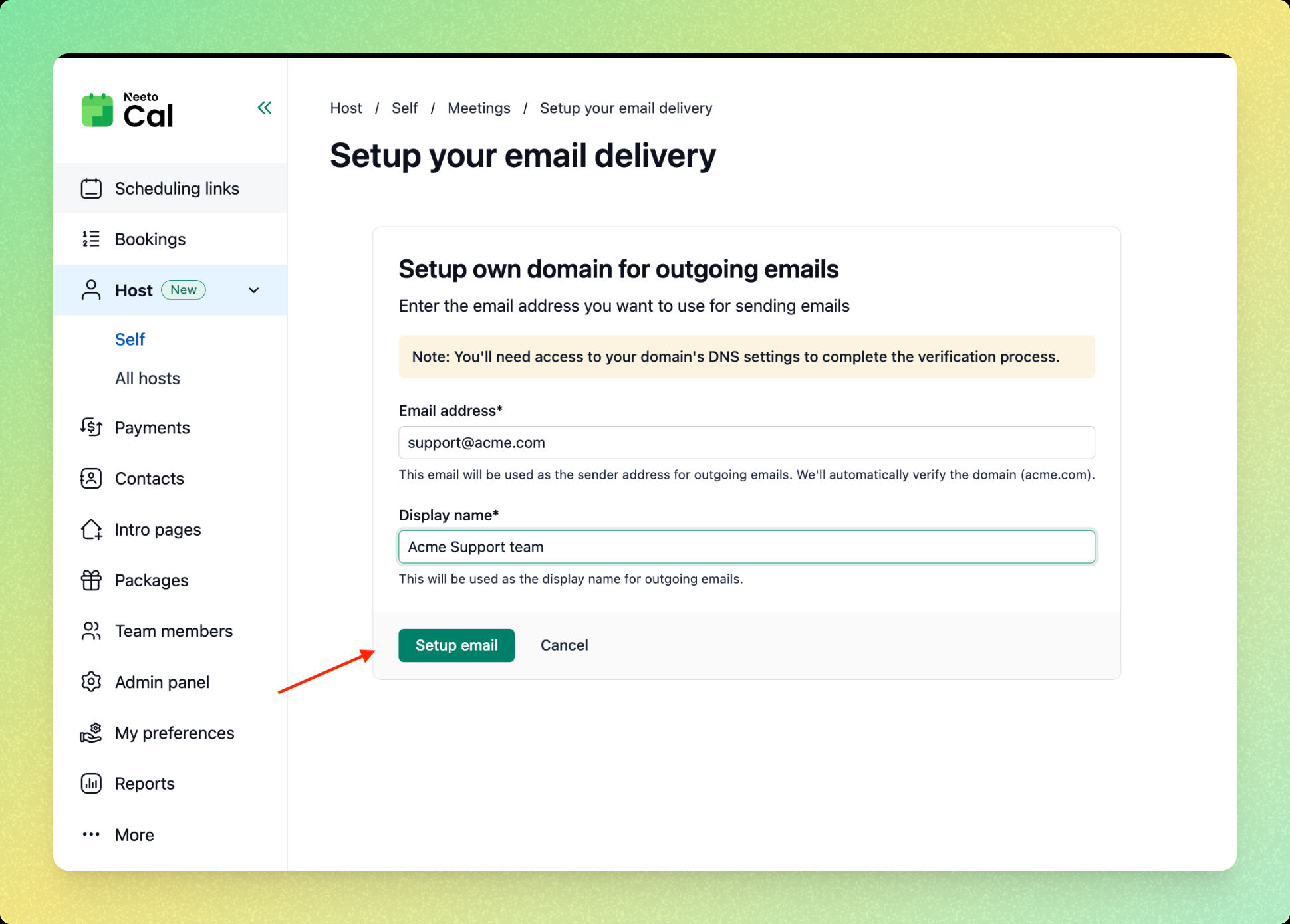
Enter the email address you want to use for sending emails. (for example:
[email protected])Enter a display name. This is the name your clients will see in their inbox.
-
Click on Setup email.
Verify your domain
After setting up the email, you’ll be taken to the Verify your domain screen.
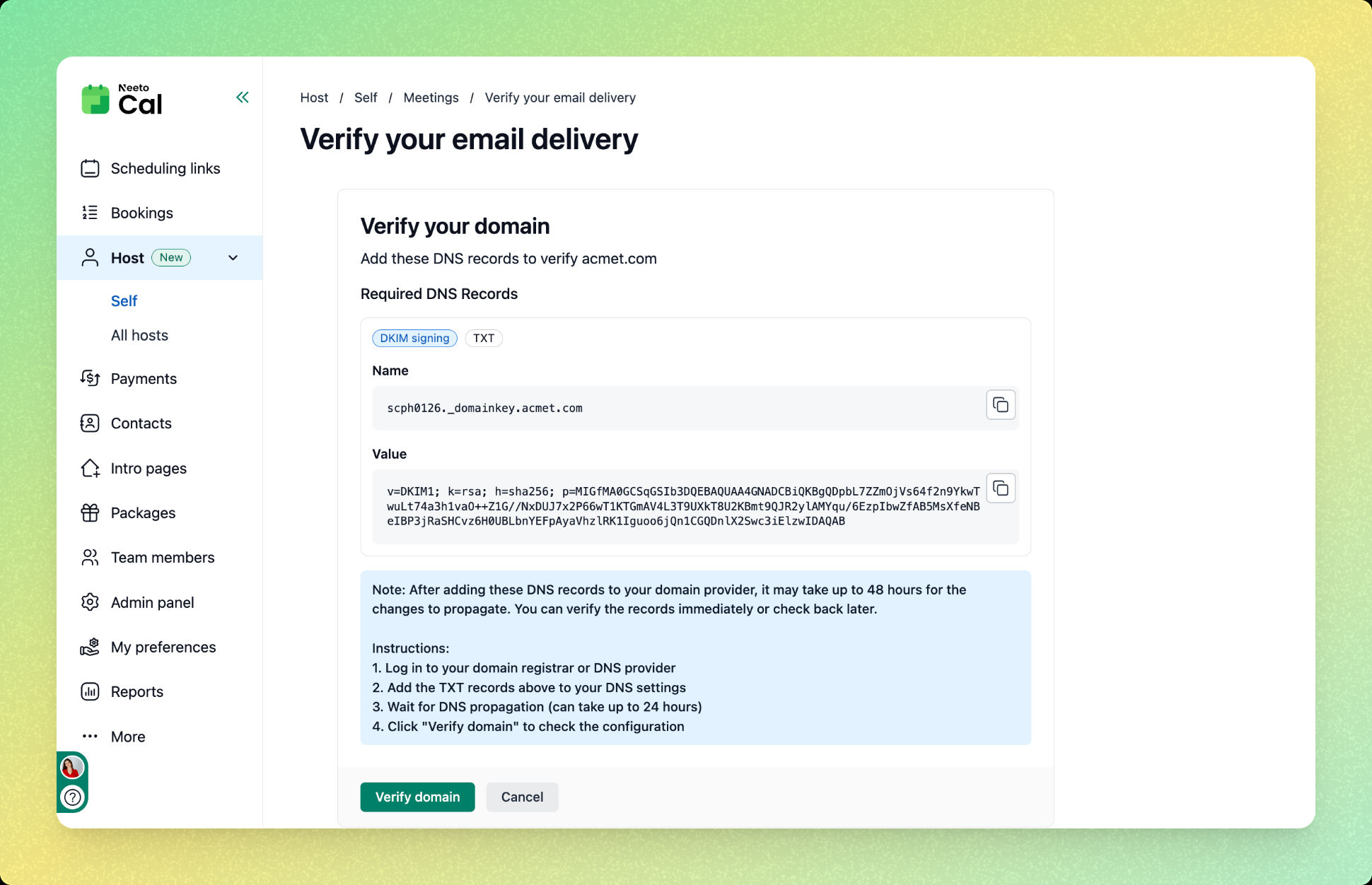
On this screen, NeetoCal will show you the required DNS records (TXT records for DKIM signing).
Log in to your domain registrar or DNS provider.
-
Add the provided TXT record exactly as shown:
Name
Value
Save the DNS changes. DNS changes can take up to 24–48 hours to propagate, depending on your provider.
Once the DNS records are added, return to NeetoCal.
Click Verify domain.
-
If the records are detected successfully, your domain will be verified.
What happens after verification?
You’ll see a confirmation message indicating that the email is connected.
All future emails for scheduling links where you are the host will be sent from your custom email address.
Emails for links hosted by other team members will continue to be sent from [email protected]